Close Menu
Indian Textile Journal
  • Home
  • Market and Economy
    • Apparels & Garments
    • Fibres & Raw Materials
    • Home Textiles
    • Industry Update
  • Textile Machinery
    • Allied Equipment and Accessories
    • Automation
    • Dyeing, Processing & Finishing
    • Knitting
    • Printing
    • Spinning
    • Weaving
  • Tech Textiles
  • Sustainability
  • Resources
    • Trade Fair
    • Events
    • Videos
  • Interview & Opinion
  • Subscribe Now
  • Advertise
  • Digital
Facebook X (Twitter) YouTube LinkedIn
Indian Textile Journal
Epson
  • Home
  • Market and Economy
    • Apparels & Garments
    • Fibres & Raw Materials
    • Home Textiles
    • Industry Update
  • Textile Machinery
    • Allied Equipment and Accessories
    • Automation
    • Dyeing, Processing & Finishing
    • Knitting
    • Printing
    • Spinning
    • Weaving
  • Tech Textiles
  • Sustainability
  • Resources
    • Trade Fair
    • Events
    • Videos
  • Interview & Opinion
  • Subscribe Now
  • Advertise
  • Digital
Indian Textile Journal
Home » Keisokki evenness tester KET80V++C
Allied Equipment and Accessories

Keisokki evenness tester KET80V++C

By March 1, 20162 Mins Read
Share Facebook Twitter LinkedIn WhatsApp Copy Link

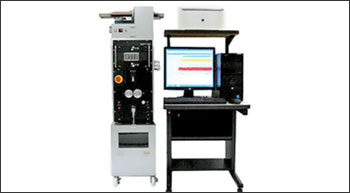
Keisokki introduced its computer technology based instrument KET80C in 1980 whereas other manufacturers could introduce its computer technology based instrument in 1987 only (seven years later). Keisokki has introduced several novel and revolutionary concepts which have found immense use in the textile industry.

Information on R/2: This helps to judge whether to check longer lengths of the yarn or not. Should you have long term faults then they are easily detectable by the large R/2 value.

Testing speed is 800 m with unattended operation using Auto Cop Changer is available.

Electronic tensioner is coupled with Keisokki KET 80V++C so that tension is controlled by computer and settings are stored. Operator can make a file name with all the settings, recall the file, click on the file, all settings get transferred to the measuring frame and the settings are stored. Many different file names for different deniers say 80d/ 36 filaments or 135 d/ 126 filament files with their testing conditions can be stored, recalled and transferred to the measuring frame for one touch operation.

KET V++C uses Windows 8.1 /10 as an operating system and can be connected to network. Customer can provide his computer.

Information available: U%, U ½ inert, U inert, CV%, CV ½ inert, CV inert, relative yarn count CVb, CVl, mass variation diagram on the monitor, etc. is available. 100 per cent of the customers in India, use Keisokki “C” model for their filament yarn testing.

For further information:
Thymas Electronics Pvt Ltd
Yogidhara
2 Nandanvan Society, Near Gas office, Alkapuri, Vadodara 390 007. Gujarat
Tel: 0265 2351634 / 2312730. Email: thymasltd@gmail.com, tepl26@yahoo.com Web: www.thymas.com

Previous ArticleSolvay invests in textile fibre technology
Next Article Garware Wall Ropes bags top award

Related Posts

Atlas Copco RePower Centre boosts compressor lifecycle solutions

June 2, 2026

Climatex raises CHF 3.2 mn to scale circular textile tech

March 24, 2026

Specialised fibres drive global textile machinery market: Ralph von Arx

March 24, 2026
Recent Posts
  • RSWM retains IND A rating as outlook turns stable
  • Mumbai welcomes back HGH India 2026
  • Vipul Organics teams up with OMYA for European pigment distribution
  • ITM Istanbul 2026: ColorJet’s visibility extends across the entire exhibition
  • CMAI kidswear fair sees record participation 
  • Clean energy shift may save Tamil Nadu textiles Rs 32.50 billion
  • Spykar plans pan-India offline expansion with 100 new stores in two years
  • Meenakshi India reports FY26 revenue at Rs 1.58 billion
Facebook X (Twitter) YouTube LinkedIn
  • About us
  • Contact us
  • Privacy Policy
  • Terms and Conditions

SISTER PUBLICATIONS

Construction World Equipment India Industrial Product Finder Infrastructure Today

© 2026 Indian Textile Journal. All Rights Reserved.

Type above and press Enter to search. Press Esc to cancel.